6️⃣ Working with Analytics & Visualization Tools: Microsoft Power BI & Power Query with TMVGate POST MDX request
The TMVGate Post MDX request provides a flexible TM1 data extraction using MDX statement instead of a cube view definition. POST MDX request is required to support the “Virtual Hierarchy” introduced in Planning Analytics 2.0 and above.
Power BI does not provide an interface to specify Web Post requests. However, this can be achieved using the Advance Editor. Refer to the respective sections for JSON, PSV, and TXT output format.
Power BI with TMVGate POST MDX
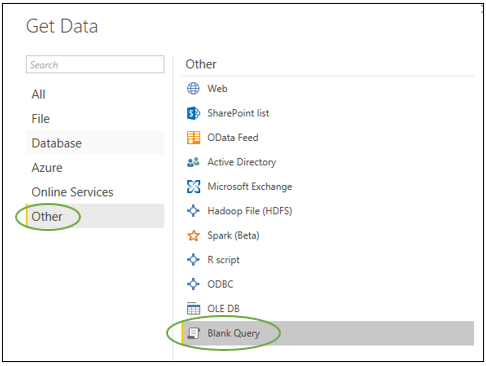
- Open a new Microsoft Power BI Data Source, choose ‘Blank Query’
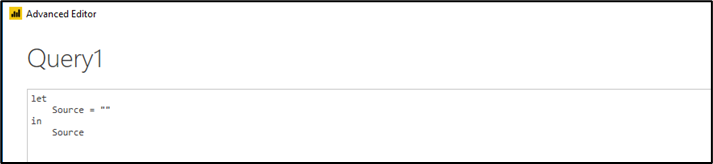
- Invoke the Advance Editor in the query screen. By default, you will see a simple sample query statement
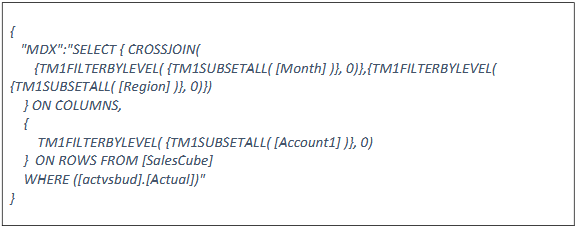
- Before proceeding further, you must have the required MDX query statement to extract data from TM1.
The following is an example of an MDX query:
- Using the URL generator, generate the required URL using “Create POST MDX URL”, which looks like the following:

- Next, you will need to construct the script that will instruct Power BI to generate the Post query. Below are some examples of the different scripts based on the different TMVGate output formats. Once the script is validated free of error, click on Done and you can continue with the steps as illustrated in earlier sections
Power BI with Post MDX using TMVGate JSON output
For TMVGate JSON output, an example of the Power BI Script is shown below
The yellow highlighted contents are the MDX query statement and the TMVGate URL
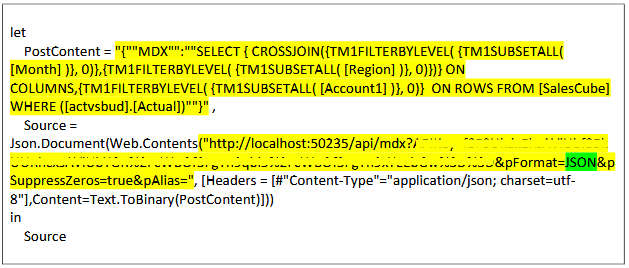
Note that for MDX query statement that contains double quote (i.e. “), you will need to encode it with an additional double quote for Power BI to interpret it correctly

Power BI with Post MDX using TMVGate PSV output
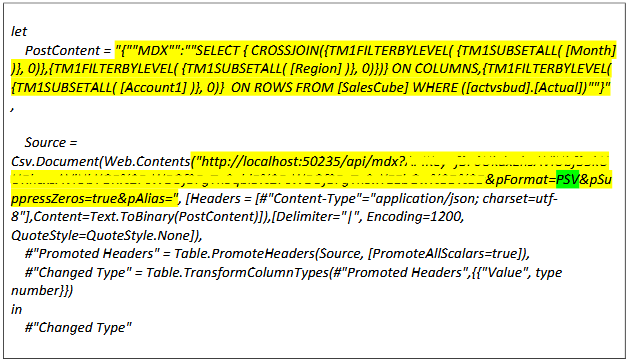
For the TMVGate PSV output, an example of the Power BI Script is shown below
The yellow highlighted contents are the MDX query statement and the TMVGate URL
Power BI with Post MDX using TMVGate TXT output
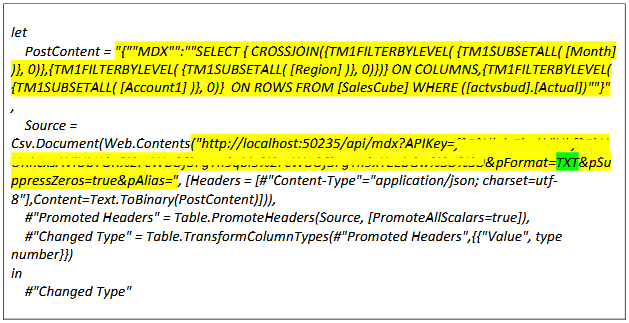
For the TMVGate TXT output, an example of the Power BI Script is shown below
The yellow highlighted contents are the MDX statements and the TMVGate URL
Excel 2013/16 Power Query with TMVGate JSON or XML Output
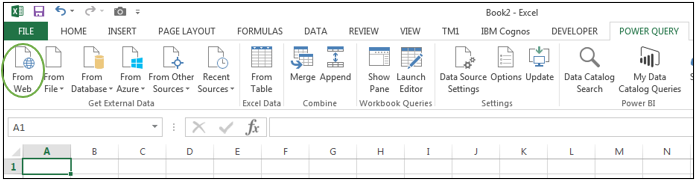
- Select Power Query from Excel menu and choose From Web
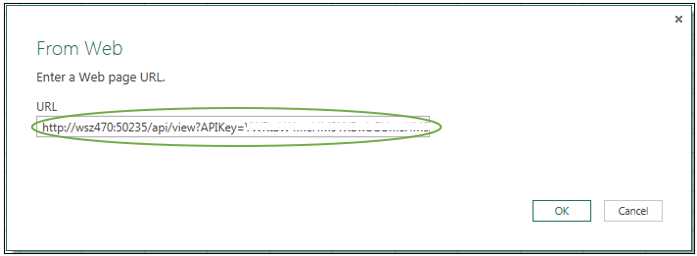
- In the From Web dialog box, enter the TMVGate URL generated using JSON or XML format and click OK
-
The other steps are the same as in Power BI
-
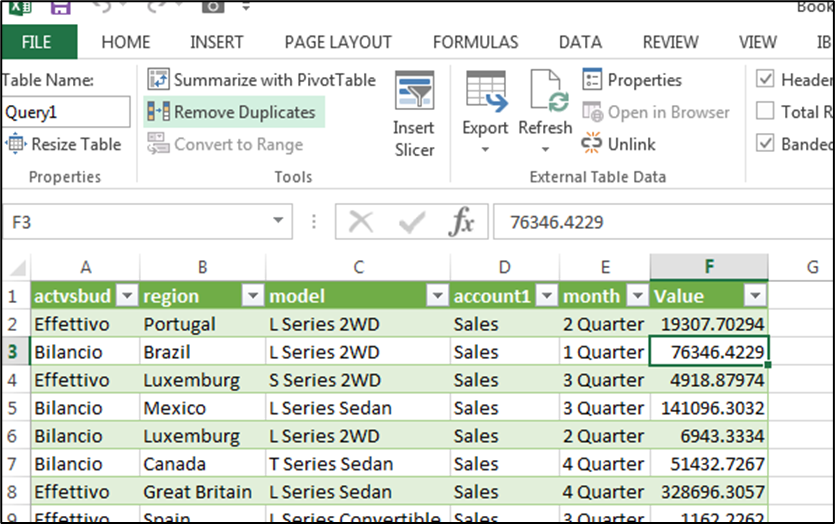
Once the data is loaded into Power Query, it will be displayed as a table, and you can start creating reports or visualization using either Power View or Power Pivot
Excel 2013/16 Power Query with TMVGate PSV or TXT Output
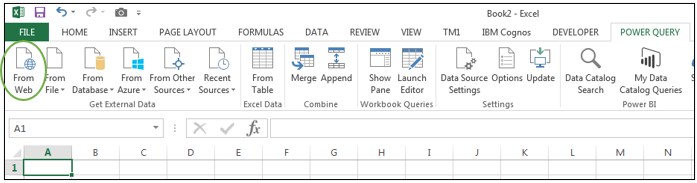
- Select Power Query from Excel menu and choose From Web
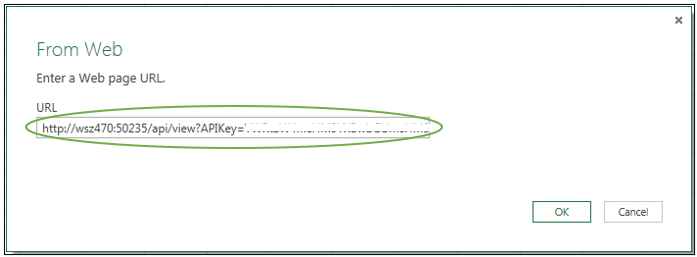
- In the From Web dialog box, enter the TMVGate URL generated using PSV or TXT format and click OK
-
The other steps are the same as with Power BI
-
Once the data are loaded into Power Query, it will be displayed as a table, and you can start creating reports or visualization using either Power View or Power Pivot.
Excel 2013/16 Power Query with TMVGate Post MDX with JSON, PSV, or TXT Output
- Select “Power Query” from Excel menu. Choose “From Other Sources” and “Blank Query”
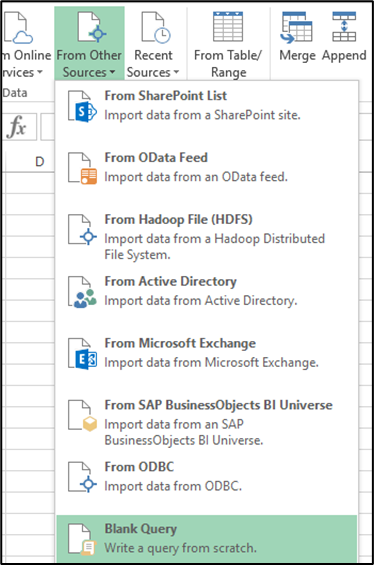
- Select “Power Query” from Excel menu. Choose “From Other Sources” and “Blank Query”
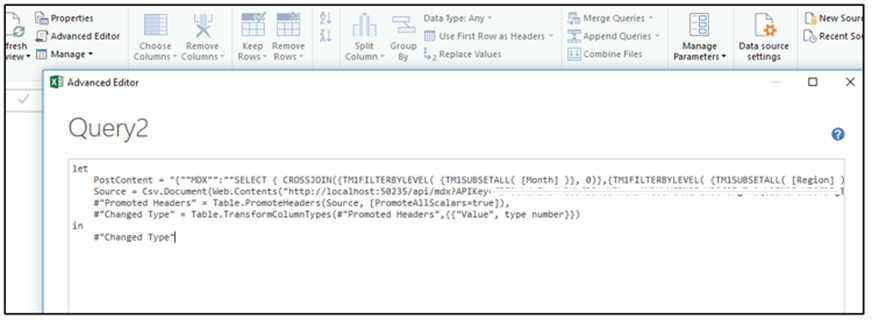
-
The other steps are the same as with Power BI
-
Once the data are loaded into Power Query, it will be displayed as a table, and you can start creating reports or visualization using either Power View or Power Pivot