3️⃣ Using the User Key Generator
If UserKey security is configured as “True” in the TMVGate Application configuration (i.e.
TMVGate.exe.config), the TM1 user security context parameter which is represented after
“&pUserKey” can be changed to cater to different user security contexts.

This will facilitate the dynamic setting of user security context by the application (e.g. Power BI) when it makes URL requests for the extraction of data. The User Key Generator allows users to generate secret key for the UserKey parameter when submitting requests to TMVGate.
Click on the ‘Generate User Key’ button to start.
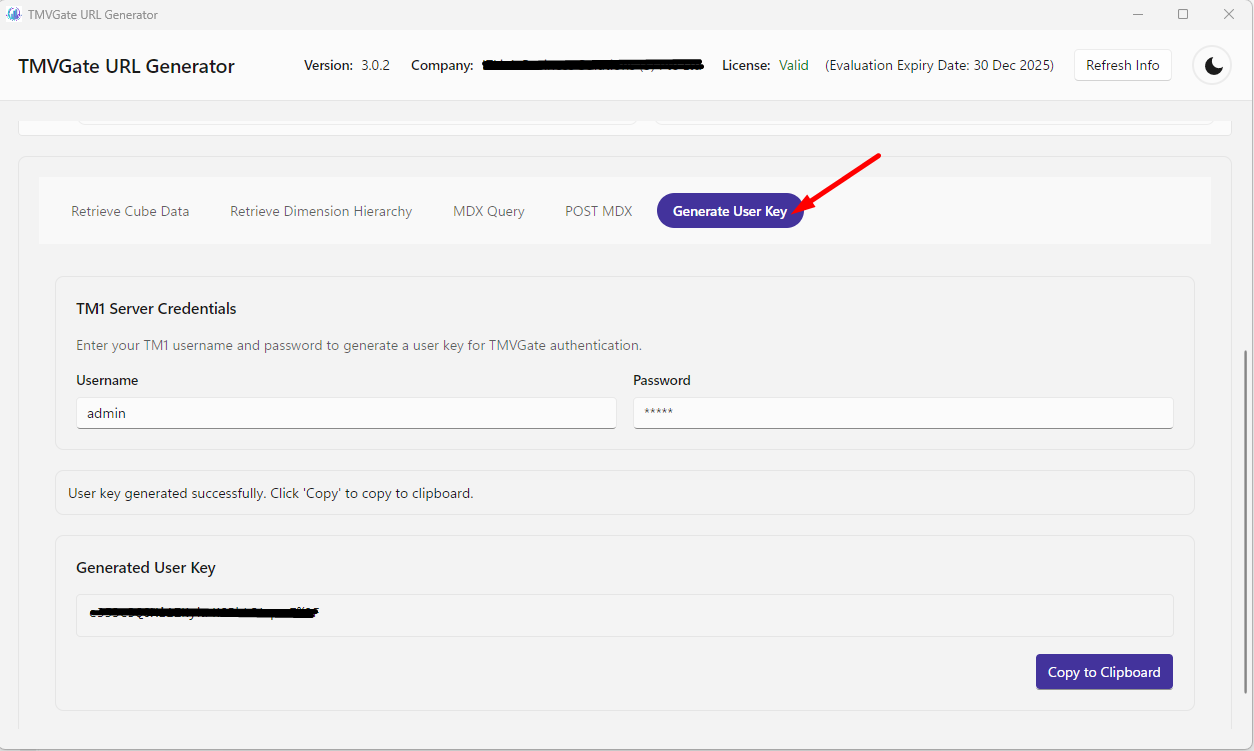
Enter the Host Name & Port Number (used in the TMVGate URL Generator), TM1 UserName and Password and click on the Create button to generate the UserKey. Once created the UserKey can be copied to the clip board via the Copy to Clipboard button.